Desktop bridge for custom fitting
Every shot, instantly in the fitting session.
TRACER runs on the bay PC, reads your launch monitor’s live data stream and relays every shot straight into FitMyBag. Set it up once and it runs quietly in the background.
- Runs in the background
- No cloud middleman
- Data-minimal
- TrackMan 3e
- TrackMan 4
Why TRACER
Why a bridge?
A browser cannot open a direct connection to the launch monitor — the raw shot data sits on a local network port of the bay PC. TRACER takes exactly that step: it reads the stream where it originates and hands it securely to your fitting session. No copying, no export, no manual entry.
Straight from the source
Reads TrackMan Performance Studio locally on the same machine — no detour, no cloud in between.
Fully automatic
Every shot lands in the active session on its own. You fit, TRACER relays.
Built independently
TRACER is developed and licensed separately from FitMyBag — a standalone, vendor-neutral tool.
Read locally, relayed securely, live in the fitting.
Up and running in three steps
Set up in minutes.
A clear onboarding flow takes you from first launch to the first relayed shot — no setup manual required.
- 01
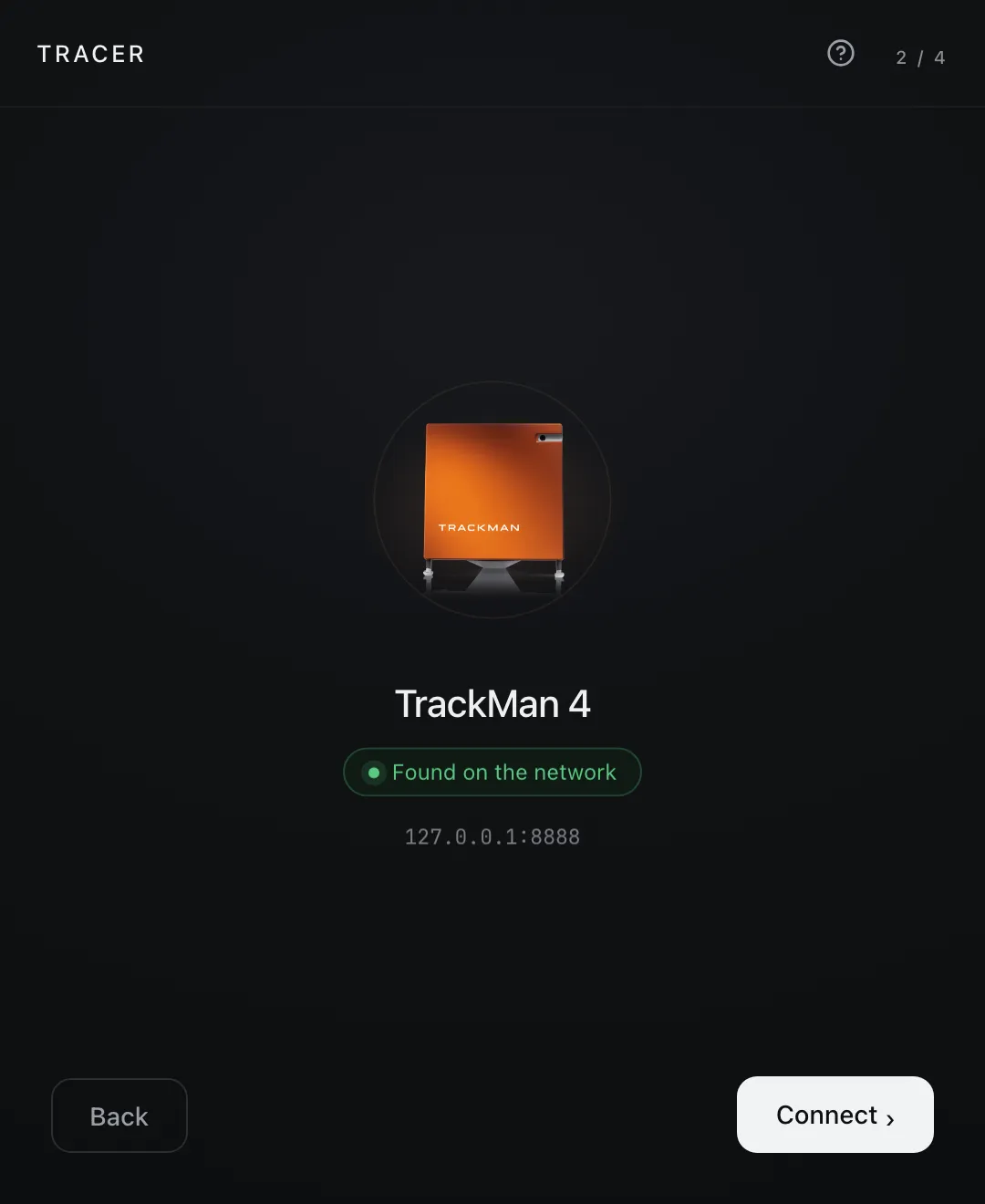
Find the device
TRACER detects the launch monitor automatically on the bay network. A green signal means: connected.
- 02
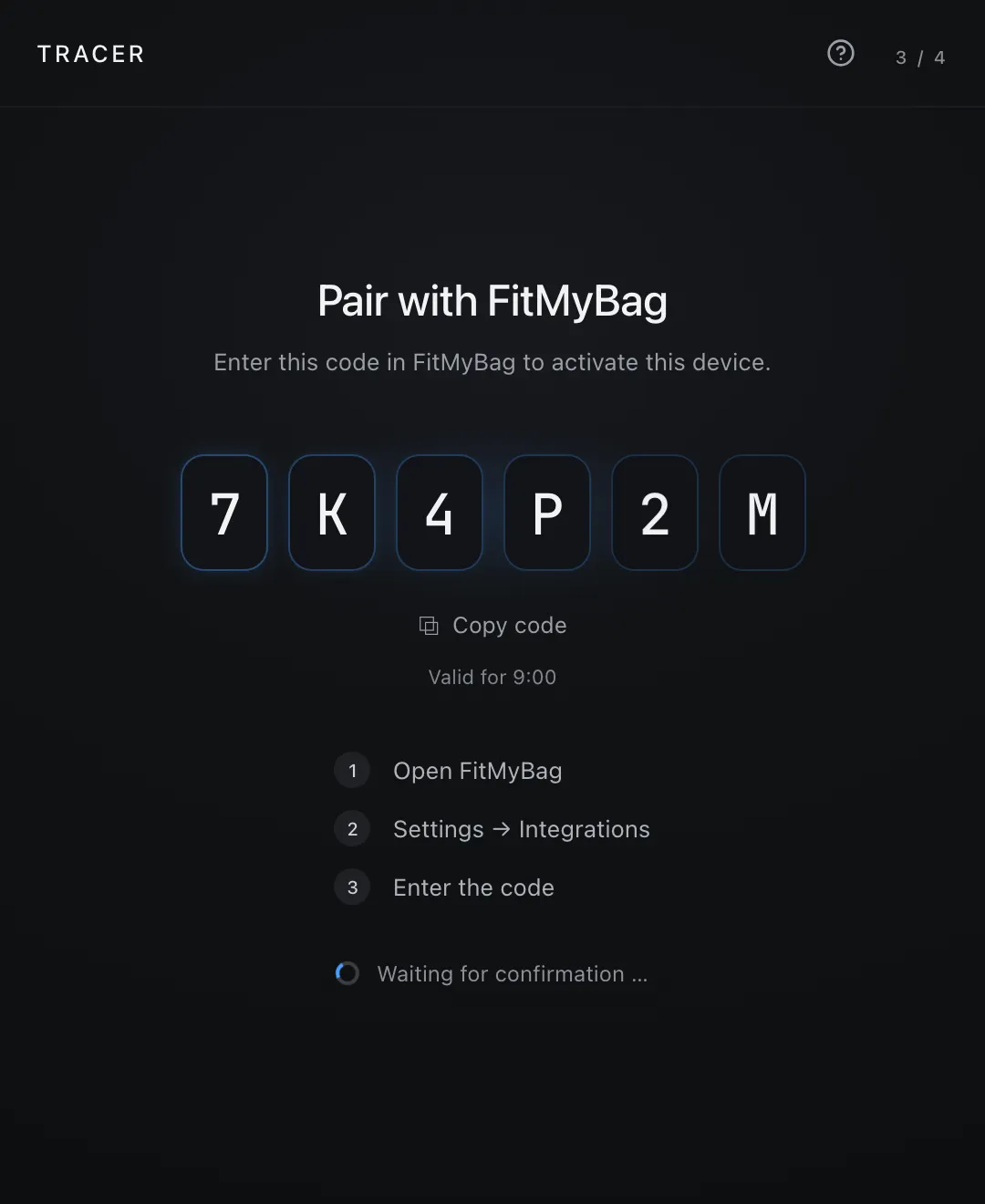
Pair once
A six-character code links this bay PC to your FitMyBag account. Confirm once — done.
- 03
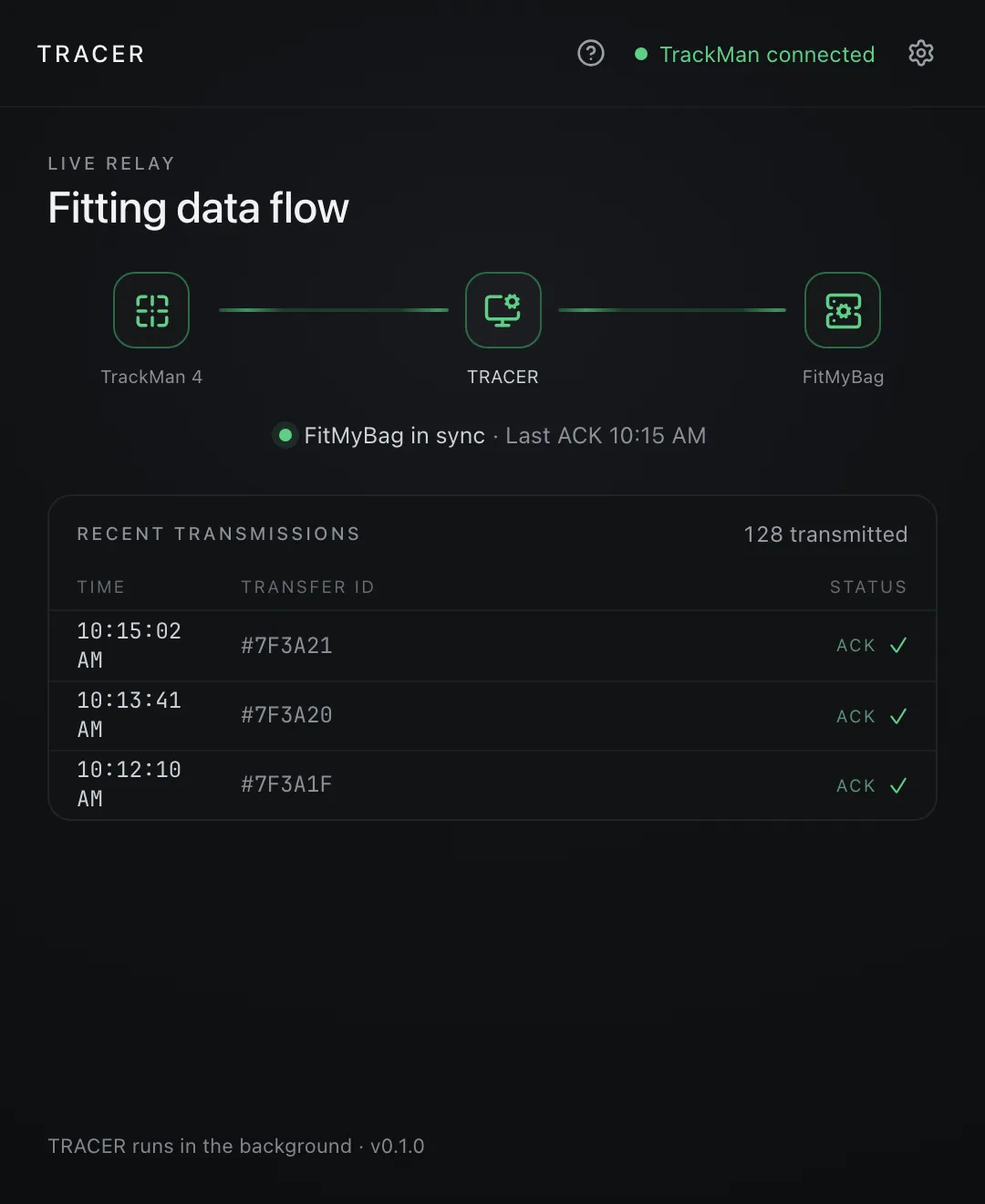
Shot by shot
From now on every stroke flows live into the active fitting session. The status feed shows each transfer in real time.
Built for the fitting floor
Reliable, secure, invisible.
TRACER is designed as a quiet always-on relay: set it up once and it does its job without you having to think about it.
- 1 bridge · 1 bay · 1 session
Multi-bay safe
Each bay runs its own TRACER. Every shot lands in the right fitting session — even across a chain with many bays.
- Offline queue · backoff 1 s → 30 s
No shot is lost
If the connection drops, a local queue buffers every stroke and delivers it automatically once you’re back online — it even survives a restart.
- Token · sha256 · OS keychain
Secure pairing
The device holds only an opaque token, kept in the OS keychain — never a secret key. Hashed server-side and revocable at any time.
- Menu bar · auto-start
Runs in the background
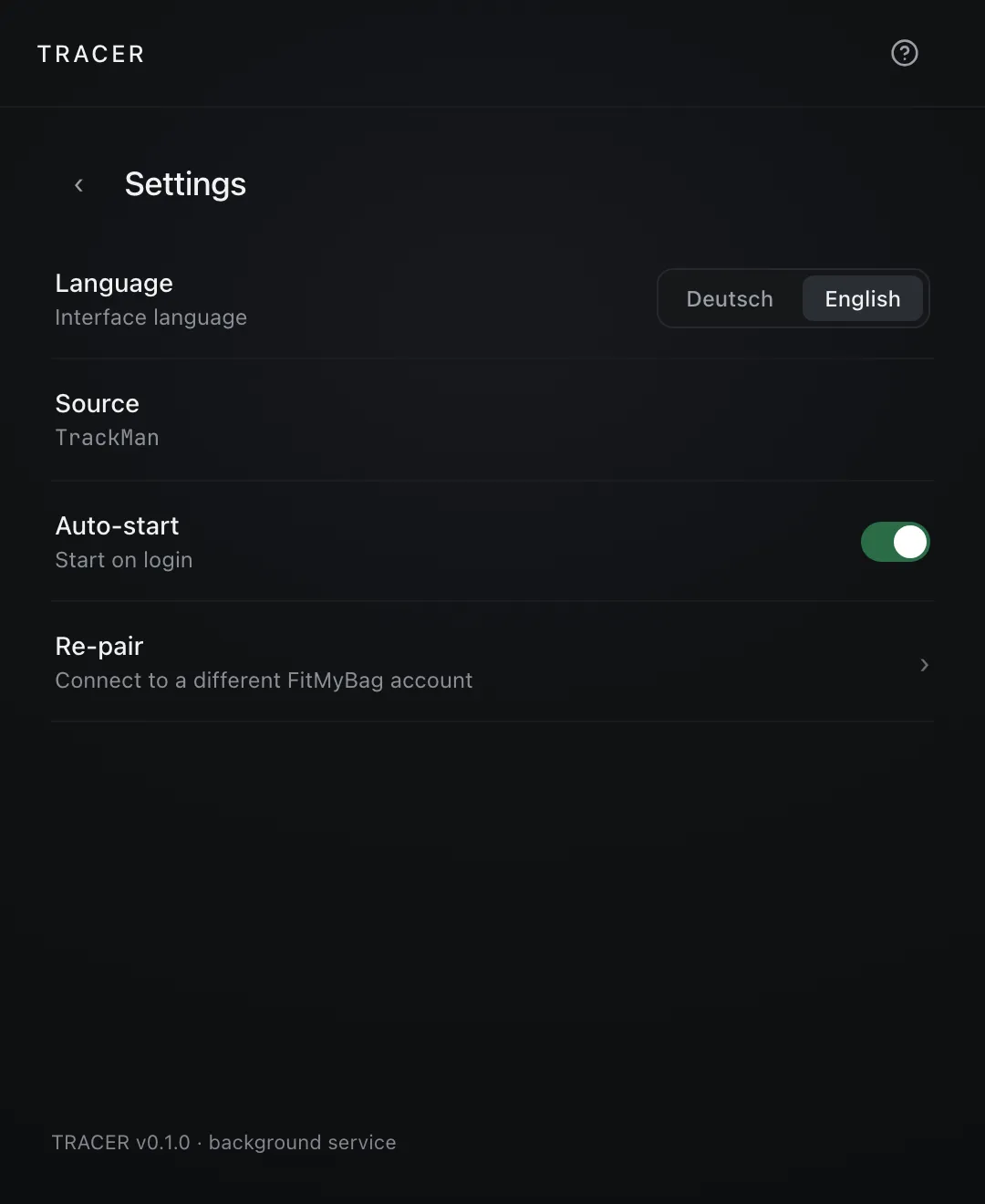
Reachable from the menu-bar icon, with optional auto-start at login. Closing the window does not stop the relay.
- Auto-reconnect · TLS (rustls)
Reconnects itself
If the link to the launch monitor drops, TRACER reconnects automatically with backing-off retries — no intervention needed.
- Carry · ball · smash · spin · face-to-path
Precise metrics
Carry, ball speed, smash, spin, face-to-path and more — derived just like TPS, as clean fitting data.
Security & privacy
Your data stays yours.
TRACER is built as a local bridge — the architecture keeps the attack surface as small as possible.
A device token, not a key
The bay PC holds only an opaque, device-bound token — no service-role key, no secret. Hashed server-side and revocable any time.
TLS-encrypted
Every transfer runs encrypted over rustls. Idempotent by design, so no shot ever arrives twice.
No cloud middleman
Raw data is read locally and handed straight to your active session — without a detour through a relay service.
No PII in the clear
TRACER relays shot data, not customer data. Tokens live in the OS keychain, never in plain text on disk.
The app
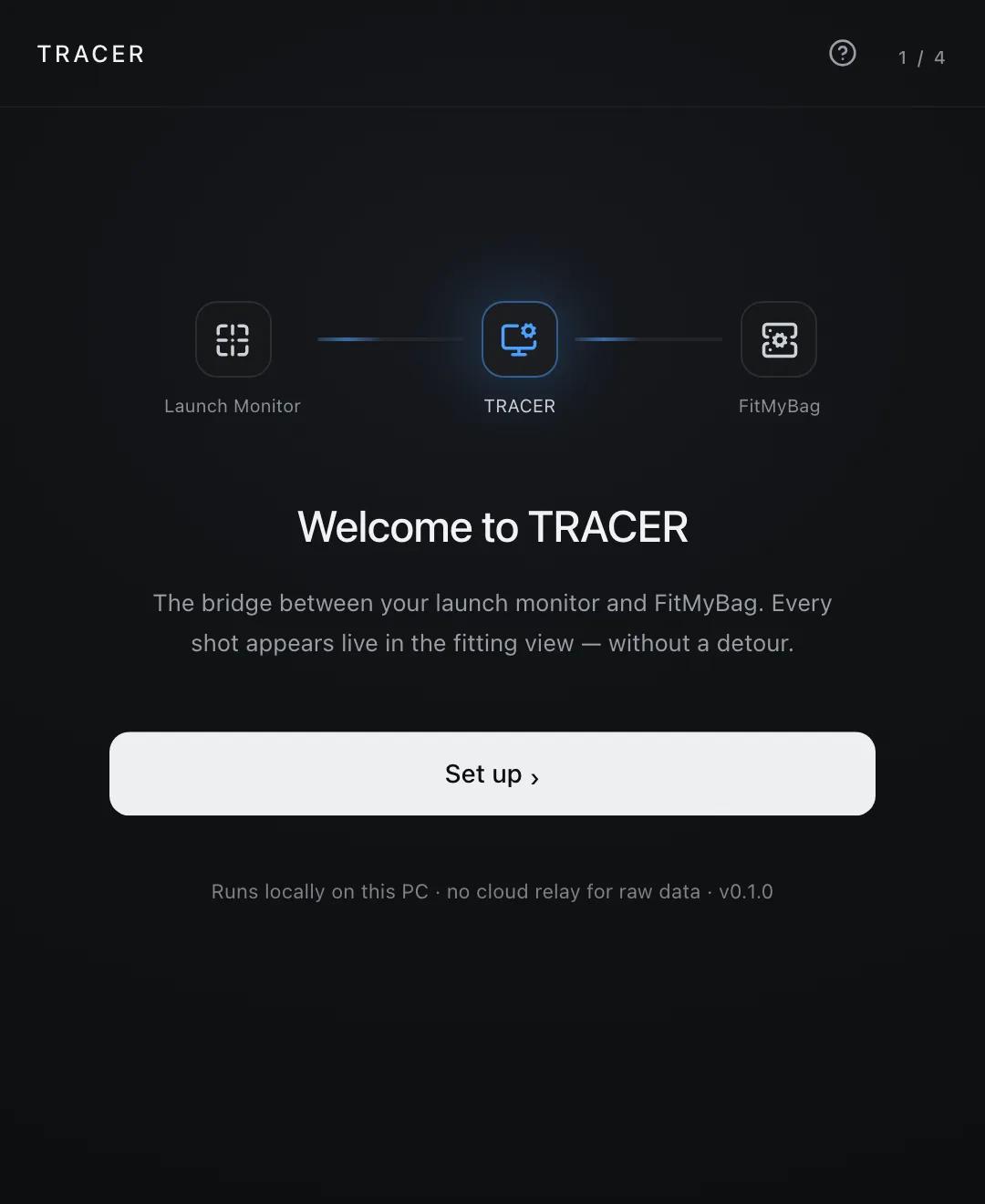
Calm, clear, reduced to the essentials.
A dark, restrained interface — designed not to distract on the floor and to keep the status readable at a glance.
Compatibility
Fits your bay setup.
TRACER runs alongside TrackMan Performance Studio on the same machine — no extra hardware, no cloud in between.
- Platform
- Windows & macOS — on the bay PC
- Requirements
- TPS with SDK output, local network, FitMyBag account
- Languages
- German & English, follows the system
- TrackMan 3e
- TrackMan 4
TrackMan iO and Foresight to follow
FAQ
Common questions.
What exactly is TRACER?
A standalone desktop bridge that reads your launch monitor’s live data stream on the bay PC and relays every shot into the active fitting session in FitMyBag. Built and licensed separately from FitMyBag.
Does TRACER have to stay open?
TRACER runs in the background and is reachable from the menu-bar icon. Closing the window does not quit the app — the relay keeps running. With auto-start enabled, TRACER launches automatically at login.
Where does my data go?
TRACER reads the shot data locally from the launch monitor on this PC and relays it to your active fitting session in FitMyBag. The raw data runs without a cloud middleman — TRACER is only the local bridge.
Can I run multiple bays?
Yes. Each bay runs its own TRACER on its own PC. Every shot lands in the right fitting session for that bay — even as a chain with many bays.
Which launch monitors are supported?
TRACER reliably supports TrackMan 3e and TrackMan 4 today. TrackMan iO and Foresight (GCQuad / GCMax) are in preparation. TRACER is deliberately vendor-neutral.
Do I need FitMyBag?
Yes. TRACER is the bridge into your FitMyBag fitting session. Without a FitMyBag account there is no destination for the shot data.
Is a shot lost during a glitch?
No. Shots that occur during a connection glitch are buffered locally and delivered automatically once the connection is back — they even survive a restart of the app.
What does TRACER cost?
TRACER is licensed separately. For licensing, pricing and a demo, just get in touch — we’ll set you up to match your setup.
Ready to automate your fitting?
Show us your setup and we’ll configure TRACER for your bays. Get in touch for a demo or a licensing quote.
Request a demoOr write directly totracer@mb-clubs.com